
An AI model comparison is most useful when you test models on your real tasks, using the same prompt set and a simple scorecard. In about 20 minutes, you can rate output quality, speed, instruction-following, and cost-fit, then decide which model to use for writing, research, or coding. A multi-model workspace like OmnyChat can make this easier by letting you run the same tests across models in one place—so you can choose based on results, not vibes.
AI model comparison: what this template helps you decide (in one sitting)
Most “GPT vs Claude vs Gemini” comparisons on the web fall into two extremes: (1) they’re too thin to be actionable, or (2) they’re benchmark-heavy dashboards that are great for capability snapshots but don’t tell you which model will do your weekly work with the fewest rewrites. This template is the middle path: a fast, business-friendly evaluation you can rerun whenever models change—or whenever your team’s tasks change.
By the end of the 20-minute “bake-off,” you should be able to answer these decisions clearly (and document them for your team): Which model is our default for everyday work? Which model is best for long-document reasoning? Which model is best for fast drafting? Which model is best for code/technical accuracy? And do we actually need one model—or a small set mapped to tasks?
- If you’re a solo professional: pick a default model + a “specialist” model for one high-value task (often research or coding).
- If you’re a team: define 2–3 approved models and a routing rule (who uses what, for which tasks), then standardize prompts and review expectations.
- If you handle sensitive info: add privacy/process constraints to the scorecard so you’re not choosing purely on quality.
- If cost control matters: score “edit time” and “retry count” as first-class metrics—those drive real spend and throughput.
Quick comparison table: what to evaluate (and what most comparisons miss)
If you only compare “smartness,” you’ll pick a model that looks great in demos but slows you down in production work. The most common real-world failure isn’t that a model can’t answer—it’s that it answers in the wrong format, ignores constraints, needs repeated clarification, or creates extra verification work.
| Criterion | What it means for work | How to test quickly (in this article) | Common tradeoff |
|---|---|---|---|
| Quality (task outcome) | Does the output meet the goal with minimal edits? | Run the same 6 prompts; score usefulness and correctness. | Higher-quality models may be slower or require more careful prompting. |
| Instruction-following & formatting | Does it follow constraints (length, tone, bullet structure, JSON, table)? | Use prompts with hard requirements and check compliance. | Some models are “creative” and drift from strict formats. |
| Speed & interaction cost | Does it respond fast enough for your workflow? | Time responses and count how many turns it takes to reach “done.” | Fast models can be less reliable on complex tasks. |
| Cost-fit (practical) | Does it fit your usage pattern without surprise overages? | Track retries/rewrites; estimate tokens by output length; compare relative spend. | Cheaper per call can be expensive if it needs 3x retries. |
| Context handling | Can it work with your doc sizes and scattered inputs? | Use a long prompt with multiple constraints and references. | Bigger context can increase cost and sometimes reduces focus. |
| Reliability & consistency | Does it give similar quality across runs and users? | Run 2 variations of the same prompt; compare variance. | Some models are great on one run and inconsistent on another. |
| Safety/refusal behavior (fit) | Does it refuse or over-caution on legitimate business tasks? | Test a policy-compliant but “edge” request (e.g., competitive analysis with citations). | More conservative behavior can add friction for research tasks. |
| Multimodal & tools (if needed) | Can it handle images/files or specific tool workflows? | Include an optional image/file prompt if your work needs it. | Models that excel at multimodal may not be best for code. |
| Team workflow & governance | Can your team share prompts, compare outputs, and standardize? | Try to save and share the test; see if you can audit decisions. | Best-in-class model access can be fragmented across subscriptions. |
Copy/paste: the AI model comparison scorecard template (with suggested weights)
Below is a simple scorecard you can paste into a doc or spreadsheet. Use a 0–5 scale per criterion (0 = unusable, 3 = acceptable with edits, 5 = ready-to-ship). Keep notes short and concrete (e.g., “ignored constraint #2,” “invented a citation,” “nailed structure but too verbose”).
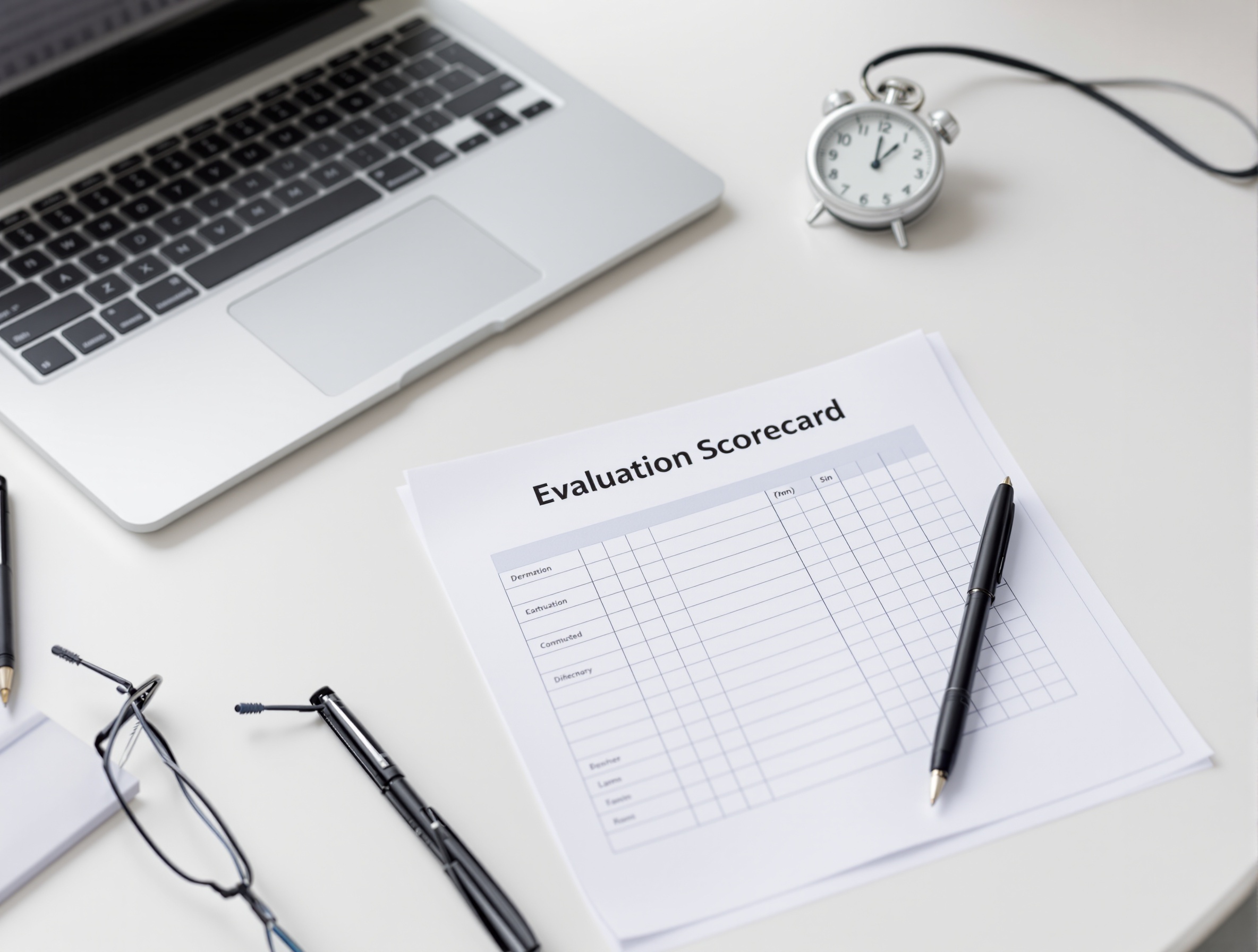
| Criterion (0–5) | Weight | Model A score | Model A notes | Model B score | Model B notes | Model C score | Model C notes |
|---|---|---|---|---|---|---|---|
| Quality on core tasks | — | — | — | — | — | — | — |
| Instruction-following & formatting | — | — | — | — | — | — | — |
| Speed (time-to-first-useful) | — | — | — | — | — | — | — |
| Turns-to-done (retry count) | — | — | — | — | — | — | — |
| Context handling (your doc size) | — | — | — | — | — | — | — |
| Reliability (repeatability) | — | — | — | — | — | — | — |
| Risk controls (hallucination tendency / verification burden) | — | — | — | — | — | — | — |
| Tooling & multimodal fit (optional) | — | — | — | — | — | — | — |
| Team workflow fit (sharing, standard prompts) | — | — | — | — | — | — | — |
Cost-fit: a quick way to estimate real spend (without getting lost in pricing pages)
You don’t need perfect token accounting to make a good decision. What you need is a consistent estimate that reflects how you actually work: how long outputs are, how often you retry, and how much human time you spend fixing or verifying the result.
- Pick one representative workflow (e.g., “draft a client email” or “summarize a 10-page doc”) and run it across all models using the same prompt.
- Track two numbers: (1) turns-to-done (how many messages until it’s usable) and (2) edit minutes (how long you spent fixing it).
- If you have access to token counts in your tool/provider, multiply (prompt + output) tokens by the posted rate. Then apply a simple multiplier for retries (e.g., if the model needs two attempts on average, you’ve doubled usage).
- Compare models on cost per usable output, not cost per single response.
Suggested weights by role (use these to avoid arguing about “best”)
Weights turn the scorecard into a decision tool. For example: an engineering team may accept slightly slower responses if code accuracy and instruction-following are consistently higher. A support or ops team may prioritize speed and format reliability because they produce high volumes of similar outputs.
| Criterion | Marketing weight | Ops weight | Product weight | Engineering weight |
|---|---|---|---|---|
| Quality on core tasks | 5 | 4 | 5 | 5 |
| Instruction-following & formatting | 5 | 5 | 5 | 5 |
| Speed (time-to-first-useful) | 4 | 5 | 3 | 3 |
| Turns-to-done (retry count) | 4 | 5 | 4 | 4 |
| Context handling | 3 | 3 | 5 | 4 |
| Reliability (repeatability) | 4 | 5 | 4 | 4 |
| Risk controls / verification burden | 3 | 4 | 4 | 5 |
| Tooling & multimodal fit (optional) | 3 | 2 | 3 | 2 |
| Team workflow fit | 4 | 4 | 4 | 3 |
The 20-minute AI model comparison method (step-by-step)
This method is designed to be fast enough that you’ll actually do it—and repeat it quarterly or whenever a major model update lands. The goal is not to “prove” a universal winner. The goal is to pick the right model for your tasks, with written evidence your team can trust.
Minute 0–3: Define the decision and constraints
- Write down the top 3 tasks you need the model to do weekly (e.g., “draft customer emails,” “summarize meeting notes into action items,” “generate SQL and explain it”).
- Write down non-negotiables: required tone, formatting, citation needs, languages, compliance rules, or “never do X.”
- Decide whether you’re picking (a) one default model, (b) two-model setup (default + specialist), or (c) a small “model map” by task.
Minute 3–5: Choose 2–4 candidate models
For most professional teams, a “shortlist” is enough: one GPT-family option, one Claude-family option, and one Gemini-family option (plus any specialized model you already rely on). If you’re starting from scratch, don’t include more than four models in the first pass—analysis paralysis is real.
Minute 5–15: Run the 6-prompt pack (same inputs, no “helpful tweaks”)
This is where fairness matters. If you “coach” one model with extra context but not the others, you aren’t comparing models—you’re comparing your prompting effort. Use the same prompt text for each model, and only allow one follow-up message (the same follow-up) if the output is incomplete.
Minute 15–20: Score, decide, and write down the routing rule
- Fill the scorecard while the outputs are still on screen—don’t rely on memory.
- Pick a winner per task (writing, research, coding), then decide if you can live with one “good enough” default.
- Document a simple rule like: “Default to Model X. Use Model Y for long-doc analysis. Use Model Z for code reviews.”
- Save the prompt pack and outputs as your baseline so you can rerun the test after updates.
Prompt pack: 6 prompts to test writing, research, analysis, coding, and instruction-following
The prompts below are intentionally “work flavored.” They test the failures that cost professionals time: missing constraints, vague structure, overconfident claims, and weak handoff artifacts (briefs, plans, code). Replace bracketed details with your own context, but keep the structure the same across models.

Prompt 1: Writing with constraints (tone, structure, and brevity)
You are helping me write a client update email.\n\nContext: [1–2 sentences about project status].\nAudience: [client role].\nGoal: reassure + set next steps.\nConstraints:\n- 130–170 words\n- 5 bullet points max\n- No hype, no apologies\n- Include one clear ask and a deadline\n\nWrite the email.- Score for: constraint adherence, clarity, “ready to send” quality, and whether it invents details you didn’t provide.
Prompt 2: Editing and fidelity (keep meaning, improve readability)
Edit the text below for clarity and concision.\n\nRules:\n- Keep the meaning exactly the same\n- Keep all numbers and dates unchanged\n- Preserve the original list order\n- Output in the same format (bullets stay bullets)\n\nTEXT:\n[paste a real internal note or rough draft]- Score for: meaning preservation, formatting fidelity, and whether it “helpfully” changes facts.
Prompt 3: Research-style synthesis (with verification discipline)
Help me evaluate [topic/vendor/approach] for business use.\n\nDeliverables:\n1) A 6-point evaluation checklist tailored to [industry/use case]\n2) 8 questions I should ask a vendor or internal stakeholder\n3) A short risk section: what could go wrong and how to mitigate it\n\nRules:\n- If you’re unsure about a claim, mark it as an assumption.\n- Do not invent citations.- Score for: practical checklist quality, appropriate uncertainty, and whether it avoids confident but ungrounded claims.
Prompt 4: Reasoning and tradeoffs (decision memo)
Create a 1-page decision memo.\n\nDecision: [e.g., choose an AI model for support drafting]\nOptions: A) [option], B) [option], C) [option]\nConstraints: [budget, speed, privacy, tooling]\n\nOutput format:\n- Summary (3 bullets)\n- Success criteria (5 bullets)\n- Option comparison table (criteria x options)\n- Recommendation + why\n- What would change your mind- Score for: structured thinking, completeness, and whether the recommendation follows the stated criteria.
Prompt 5: Coding (generate + explain + tests)
Write a function in [language] that [task].\n\nRequirements:\n- Include input validation\n- Include at least 5 unit tests\n- Explain edge cases\n- Keep the code readable\n\nReturn:\n1) Code\n2) Tests\n3) Short explanation- Score for: correctness, test quality, clarity, and whether it sneaks in dependencies or assumptions you didn’t approve.
Prompt 6: Instruction-following under pressure (multi-constraint extractor)
Extract structured data from the text below.\n\nOutput must be valid JSON with exactly these keys:\n- "project"\n- "risks" (array)\n- "decisions" (array)\n- "next_steps" (array)\n- "owners" (object mapping person->responsibility)\n\nRules:\n- If a field is missing, use null.\n- Do not add extra keys.\n\nTEXT:\n[paste messy meeting notes]- Score for: strict JSON compliance, completeness, and whether it resists adding extra keys or commentary.
How to compare models fairly (so the results mean something)
A fair test is boring on purpose. You are trying to isolate the model’s behavior—not your ability to rescue it. Use these rules to keep the bake-off honest, especially if you’re choosing a team default.
- Same prompt text across models. No “just one extra hint” for your favorite.
- Same stopping rule. Example: one follow-up allowed, and it must be identical for all models.
- Same settings when possible (temperature/creativity, tools/browsing on/off, file handling). If you can’t match settings, note it in the scorecard.
- Blind review if possible. Copy outputs into a doc without model names and score them.
- Measure workflow pain: number of edits you had to make, how often you had to reformat, and how much verification you needed.
- Test one long input (a real doc excerpt) if your work uses long context—this surfaces context handling differences quickly.
Worked example: turn scores into a clear “default + specialist” policy
Here’s a simple (hypothetical) example for a support team deciding between two models. They care most about fast drafting, strict formatting, and low retries. After running the same email + extractor prompts, they score each model and apply weights.
| Criterion | Weight | Model A score (0–5) | Model B score (0–5) | What the team observed |
|---|---|---|---|---|
| Instruction-following & formatting | 5 | 5 | 3 | Model A consistently hit the requested structure; Model B drifted into paragraphs. |
| Speed (time-to-first-useful) | 5 | 4 | 3 | Model A was faster on first drafts; Model B was slower on the first response. |
| Turns-to-done (retry count) | 5 | 4 | 2 | Model B needed extra back-and-forth to comply with constraints. |
| Quality on core tasks | 4 | 4 | 5 | Model B’s language was slightly better, but not enough to offset retries. |
| Risk controls / verification burden | 4 | 4 | 3 | Model B was more likely to assert specifics that weren’t provided. |
Decision: make Model A the default for high-volume support drafts and structured extraction (because it’s fast and format-reliable). Keep Model B as a specialist for the occasional high-stakes customer message or nuanced policy explanation (where maximum writing quality matters and the extra time is acceptable). This “default + specialist” setup usually beats forcing one model to do everything.
Product-led walkthrough: run the bake-off side-by-side in OmnyChat (multi-model workspace)
The friction in “LLM evaluation” is usually not the scoring—it’s the logistics: different vendor UIs, separate accounts, inconsistent settings, and no shared place for the prompt pack and results. OmnyChat positions itself as an all-in-one AI workspace where you can access multiple model families (for example GPT-, Claude-, and Gemini-style models) under one roof, which can make side-by-side comparisons and team standardization simpler.
If you want a step-by-step guide to the broader setup (routing tasks, reducing duplicate subscriptions, and saving repeatable workflows), use OmnyChat’s multi-model AI workflow article alongside this scorecard.
A simple side-by-side process (works in any tool, easier in a single workspace)
- Create a new comparison doc and paste the scorecard table.
- Open Model A, Model B, and Model C in parallel (or run sequentially, but keep the prompts identical).
- Paste Prompt 1 into each model and save the outputs.
- Repeat for all 6 prompts. If you allow a follow-up, use the same follow-up for each model (copy/paste it).
- Score immediately and write one-line notes per criterion.
- Share the results with stakeholders and agree on a routing rule (default + specialists).
When a multi-model workspace is especially useful
You don’t need a multi-model workspace to do the bake-off. But it becomes more valuable when (a) your team needs shared prompts, (b) your use cases span modalities (text + images + video), or (c) you’re tired of managing multiple subscriptions and logins just to access different model strengths.
- If you summarize long videos for work, you can pair your model selection with an end-to-end workflow like AI video summarization with OmnyChat.
- If your workflow includes visuals, keep multimodal capability on the scorecard and review AI image generation with OmnyChat to understand the practical differences in image tasks.
- If your team uses AI search heavily, compare “research synthesis” behavior and consider a cost-focused alternative analysis like this Perplexity pricing alternative guide when you’re rationalizing tool spend.
How to interpret results: decision rules for choosing 1 model vs 2–3 models by task
After you score models, the biggest mistake is trying to force a single winner when your work clearly contains different task types. Use these decision rules to convert scores into a clean policy that people will follow.
Rule 1: Standardize on one model if it wins the “90% workflow”
If one model is consistently top-2 on your three highest-volume tasks—and doesn’t introduce a big verification burden—standardize. You will gain more from prompt standardization, shared examples, and reduced cognitive load than you will from chasing marginal quality improvements on occasional edge cases.
- Good sign: the “worst” model output is still acceptable with light edits.
- Good sign: instruction-following is consistent across users.
- Bad sign: you need a different prompt style per model just to get baseline results.
Rule 2: Use two models when one is a “format machine” and the other is a “reasoning machine”
This is a common real-world outcome: Model A is reliably compliant (JSON, tables, strict templates) and fast; Model B is better at deep analysis or long documents but occasionally drifts in formatting. In that case, define a routing rule and don’t apologize for it—it’s normal.
- Default model: high volume drafting, structured extraction, summaries, first-pass plans.
- Specialist model: decision memos, long-doc synthesis, tricky reasoning, high-stakes writing where quality is paramount.
- Document the handoff: when should someone escalate from default to specialist (e.g., “if it needs citations,” “if it’s more than 10 pages,” “if it’s customer-facing and high risk”).
Rule 3: Use three models only if you can operationalize routing
Three-model setups can work, but only if the routing is easy. If your team has to think too hard about which model to pick, they’ll default to the one they remember—or they’ll stop using the policy altogether.
| Task type | Use this model profile | Why it fits | What to watch for |
|---|---|---|---|
| High-volume drafting (emails, meeting recaps) | Fast + format-reliable | Lower edit time and predictable structure | Can be shallow; verify facts when stakes are high |
| Deep analysis (decision memos, long docs) | High reasoning + strong context handling | Better synthesis and tradeoff thinking | May be slower; can over-explain without strict constraints |
| Coding / technical tasks | Code-strong + precise instruction-following | Fewer subtle bugs and better tests | Always run tests and review security-sensitive code |
Common pitfalls (why your test results lie)
If your bake-off leads to confusing results, it’s usually because the test unintentionally favored one model or because you measured the wrong thing. These are the most common pitfalls we see when teams try to choose between GPT-, Claude-, and Gemini-style models for work.
- Testing only “fun” prompts (creative writing) instead of your real artifacts (emails, briefs, spreadsheets, code).
- Allowing unlimited retries, which hides how often the model fails on the first attempt.
- Ignoring formatting reliability. A model that’s 10% smarter but 50% worse at structure can cost you hours.
- Not testing with real constraints (word limits, tone rules, forbidden content, JSON schema).
- Confusing confidence with correctness. Some models sound certain even when they’re wrong—score verification burden.
- Over-indexing on a single run. If it matters, rerun two prompts and watch for variance.
FAQ: AI model comparison questions people ask before choosing
What is the best way to compare AI models?
The most reliable way is to test models on your real tasks using the same prompt set and a simple scorecard. Benchmarks help you shortlist options, but a small, controlled “bake-off” (same inputs, same success criteria, same scoring) shows which model performs best for your writing, research, analysis, or coding work.
How do you evaluate an LLM for business use?
Evaluate (1) quality on your core tasks, (2) instruction-following and formatting reliability, (3) speed/latency for your workflow, (4) cost-fit based on usage patterns (including retries and edit time), (5) context handling for your document sizes, (6) tool and multimodal needs (files, images, web), and (7) team requirements like sharing, admin controls, and privacy constraints.
What should I look for when choosing between GPT, Claude, and Gemini?
Look for task fit rather than “overall best.” Compare how each handles your typical inputs (long docs, messy notes, tables), your required output formats (briefs, SQL, JSON, emails), and failure modes (hallucinations, refusals, missed constraints). Use a consistent prompt pack and score each model on the criteria that matter for your role.
Which AI model is best for writing vs research vs coding at work?
In many workplaces, the “best” model changes by task: one may be faster and more format-reliable for writing and structured extraction, while another may be stronger for long-document synthesis or code accuracy. The fastest way to decide is to run the same writing, research, and coding prompts across your shortlisted models and score them separately—then route tasks based on the scores instead of picking a single universal winner.
How can I compare AI model costs without reading pricing pages all day?
Start with a cost target per workflow (for example, “draft a client email with at most one revision”) and measure practical cost drivers: retries, edit time, and verification time. For a quick apples-to-apples estimate, run the same prompt pack, note output lengths and turns-to-done, and compare relative usage under your provider’s pricing model. A multi-model workspace can also reduce subscription sprawl by letting you test and use multiple models in one place.
Do benchmarks matter more than real task testing?
Benchmarks are useful for narrowing the field and spotting obvious tradeoffs (speed, context limits, general capability), but they don’t predict your exact day-to-day work. Real task testing matters more for the final decision because it exposes workflow issues: formatting fidelity, adherence to constraints, verification burden, and how consistently the model performs across runs and users.
Can I use multiple AI models without multiple subscriptions?
Often, yes. One approach is a multi-model workspace that provides access to multiple model families under a single account (availability depends on the platform and plan). Another approach is using APIs through a single provider layer. Either way, the goal is to compare and route tasks to the best model without managing separate logins and billing for every vendor tool.
Run your first 20-minute model bake-off (and keep the results)
If you want to compare GPT-, Claude-, and Gemini-style models side-by-side without juggling separate tools, try OmnyChat as a multi-model workspace. Paste in the scorecard, run the 6 prompts across models, then share a clear “default model map” with your team.