
Effective prompt engineering for multi-model AI workspaces requires a universal structure that works across GPT, Claude, and Gemini. Start with a clear role, context, and desired output format, then use OmnyChat’s side-by-side comparison to test and refine your prompt for each model’s strengths. Whether you're a content creator, developer, or researcher, writing prompts that perform consistently across different AI architectures is the key to saving time and getting reliable results.
The Universal Prompt Framework for Multi-Model Workspaces
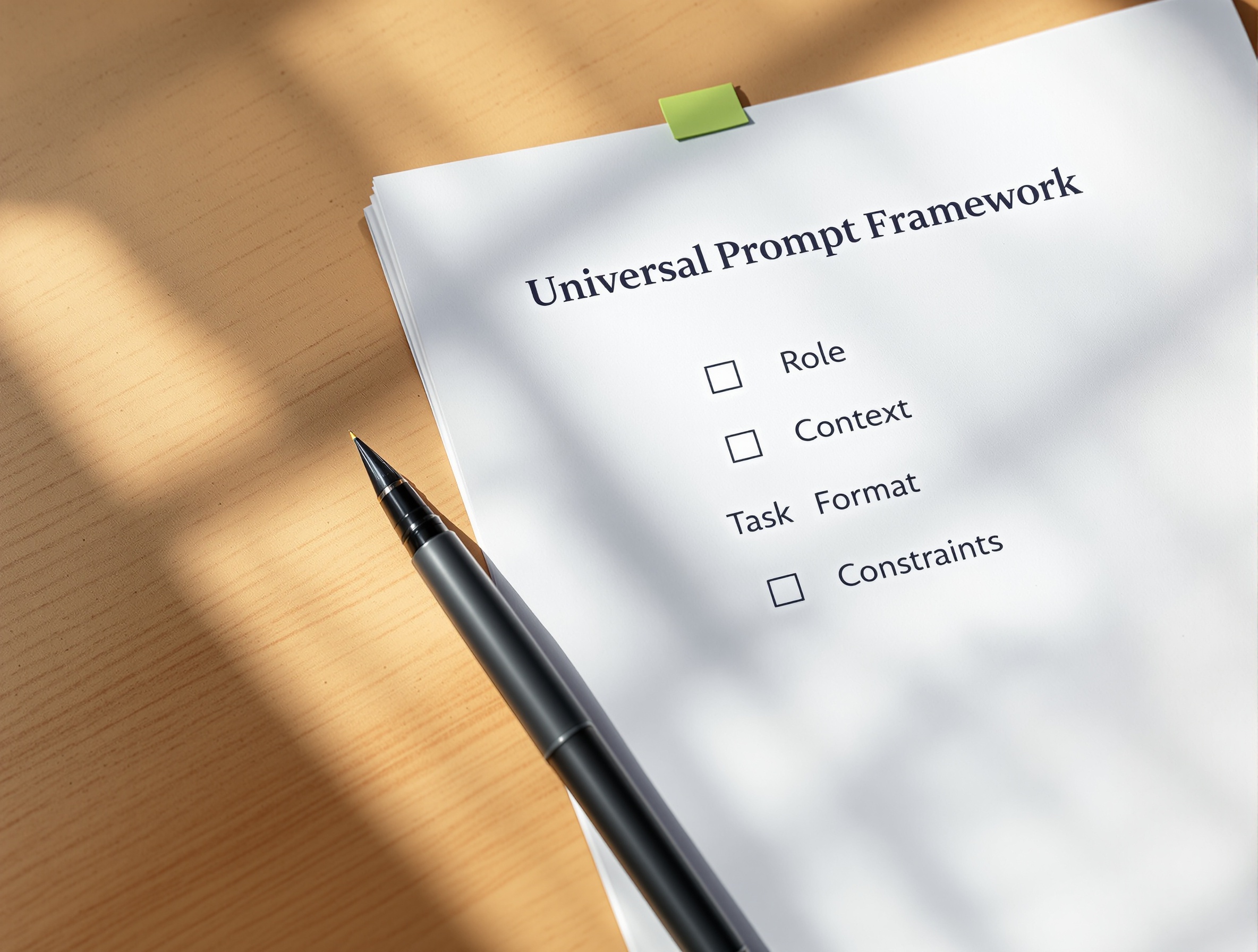
Before diving into model-specific tricks, you need a foundation that works for any AI. The universal prompt framework consists of five components that you can mix and match depending on your task. This structure ensures that no matter which model you use, the AI understands your intent and can produce a useful response.
| Component | Description | Example |
|---|---|---|
| Role | Defines who the AI should act as (e.g., expert copywriter, data analyst, tutor). | Act as a senior marketing strategist. |
| Context | Provides background information relevant to the task. | Our company sells eco-friendly office supplies. We are launching a new line of bamboo desks. |
| Task | The specific action you want the AI to perform. | Write a 200-word product description for the bamboo desk. |
| Format | How you want the output structured (e.g., bullet points, paragraphs, table). | Use three paragraphs: features, benefits, and call to action. |
| Constraints | Any rules or limitations (e.g., tone, length, avoid jargon). | Keep tone professional but friendly. Avoid technical terms. Maximum 250 words. |
This framework is model-agnostic. You can use it as a template and then tweak the components based on the model you're working with. For example, GPT may need more explicit constraints, while Claude can infer more from context. The key is to start with a complete prompt and then trim or expand as needed.
Model-Specific Prompting Tips: GPT, Claude, and Gemini
Each AI model has a unique architecture and training data, which means they respond differently to the same prompt. By understanding these differences, you can adapt your prompts to get the best results from each model. Below are specific tips for GPT, Claude, and Gemini, with examples.
GPT: Explicit Instructions and Few-Shot Examples
GPT (especially GPT-4) performs best when you give it clear, step-by-step instructions. It also benefits from few-shot examples—showing it a couple of examples of what you want. For instance, if you need a product description, provide two examples first, then ask for a third. GPT is also very good at following strict formatting rules, so use constraints like 'output as a JSON object' or 'use bullet points'.
Example prompt for GPT: 'You are a professional copywriter. Here are two examples of product descriptions for our brand: [Example 1], [Example 2]. Now write a description for our new bamboo desk. Use the same tone and structure. Keep it under 200 words.'
Claude: Nuanced Context and Conversational Prompts
Claude 3 excels at understanding nuanced context and long, conversational prompts. It can handle complex instructions with multiple layers of meaning. Unlike GPT, Claude does not require as many explicit steps—it can infer intent from a well-written paragraph. However, Claude is very sensitive to safety and ethical guidelines, so avoid prompts that could be interpreted as harmful. Use natural language and provide rich background information.
Example prompt for Claude: 'We are a small business that sells handmade ceramic mugs. Our customers are coffee enthusiasts who appreciate craftsmanship. Write a product description for our new 'Morning Ritual' mug that tells a story about the artisan who made it. The tone should be warm and personal. Include details about the glazing process and the mug's durability.'
Gemini: Conciseness and Multimodal Inputs
Gemini (formerly Bard) is optimized for speed and multimodal tasks. It handles text, images, and code well. For text prompts, Gemini prefers concise, direct instructions. Avoid long-winded context—it can cause the model to drift. Use clear formatting like bullet points or numbered lists. Gemini also responds well to prompts that ask for structured data, such as tables or lists. If you include an image, describe what you want in relation to it.
Example prompt for Gemini: 'List five benefits of using bamboo desks for an eco-friendly office. Format as bullet points. Keep each benefit to one sentence.'
Checklist: How to Test Prompts Across Models in OmnyChat
Testing is where the real work happens. Instead of manually copying prompts between tabs, use OmnyChat to send the same prompt to multiple models at once. Here’s a step-by-step checklist to ensure you get reliable, comparable results.
- Start with a universal prompt using the framework above.
- Open OmnyChat and select the models you want to test (e.g., GPT-4, Claude 3, Gemini).
- Send the same prompt to all selected models simultaneously.
- Compare the responses side-by-side. Note differences in tone, accuracy, length, and structure.
- Identify which model performed best for your task. For example, GPT may give more detailed steps, while Claude offers a more narrative answer.
- Refine your prompt based on the best-performing model’s strengths. For instance, if Claude gave the best answer, add more context to the prompt for GPT.
- Repeat the process until you have a prompt that works well across all models, or create model-specific versions.
- Save your final prompts as templates in OmnyChat for future use.
Common Prompt Engineering Mistakes and How to Fix Them
Even experienced prompt engineers make mistakes. Below is a table of the most common errors and how to fix them, especially when working with multiple models.
| Mistake | Why It’s a Problem | Fix |
|---|---|---|
| Vague instructions | Models may produce generic or off-topic responses. | Be specific: define the role, task, and format clearly. |
| Missing constraints | Output may be too long, too short, or in the wrong tone. | Add constraints like word count, tone, and structure. |
| Ignoring model differences | Using the same prompt for all models without adjustment leads to inconsistent quality. | Adapt prompts based on model strengths (see model-specific tips above). |
| Overloading with context | Too much information can confuse some models, especially Gemini. | Keep context concise and relevant. Use the universal framework to organize. |
| Not testing iteratively | One-shot prompts rarely produce optimal results. | Test, refine, and retest. Use OmnyChat to speed up iterations. |
| Assuming all models understand the same nuances | GPT may miss subtle context that Claude picks up, and vice versa. | Write prompts that are explicit enough for the weakest model, then add nuance for stronger ones. |
How OmnyChat Streamlines Multi-Model Prompt Management
Managing prompts across multiple AI models traditionally means juggling several browser tabs, remembering which subscription you used, and manually copying outputs for comparison. OmnyChat solves this by providing a single workspace where you can access GPT, Claude, Gemini, and other models under one roof. You can send the same prompt to all models at once, view responses side-by-side, and save your best prompts as reusable templates.
For example, if you’re writing a blog post, you can test your outline prompt across GPT and Claude to see which model gives a better structure. Then use Gemini to quickly generate bullet points. All within the same interface. This not only saves time but also helps you learn which models excel at which tasks. Over time, you can build a personal library of optimized prompts for different use cases.
OmnyChat also eliminates the need for multiple subscriptions. Instead of paying for ChatGPT Plus, Claude Pro, and Gemini Advanced separately, you get access to all models with a single plan. This makes it easier to experiment with different models without worrying about cost. For a deeper look at how to combine models in a workflow, check out our guide on multi-model AI workflow.
If you’re still deciding which models to include in your workflow, our AI model comparison template provides a scorecard to evaluate GPT, Claude, and Gemini based on your specific needs. And for those exploring alternatives, our list of ChatGPT alternatives for business can help you choose the right tool.
Frequently Asked Questions
Stop switching between tabs and subscriptions. With OmnyChat, you can write, test, and optimize prompts for GPT, Claude, Gemini, and more—all in one workspace. Start your free trial today and see the difference a unified AI workspace makes.