To summarize a YouTube video into usable notes with AI, start from the transcript (or generate one), then prompt the model for a structured output: a 5–10 bullet executive summary, timestamped chapters, key quotes, and action items. For best results, verify 3–5 timestamps against the source and, if needed, switch models (GPT/Claude/Gemini) for extraction vs. rewriting inside one multi-model workspace like OmnyChat.
BLUF: the fastest method (what you’ll do in 10 minutes)
If your goal is to summarize a YouTube video to notes with AI without watching the whole thing, don’t start by asking for a “summary.” Start by asking for structured notes with evidence. That’s what makes the output usable (and trustworthy) for work.
- Copy the transcript (preferably with timestamps/timecodes).
- Run an extract-first prompt that outputs: executive summary, chapters with timestamps, and key quotes.
- Run a second prompt to convert the extraction into meeting notes and action items (without inventing owners/dates).
- Verify quickly: check 3–5 timestamps and 2–3 quotes in the actual video.
- Export/share the final format (email recap, minutes, wiki page, checklist).
What you’ll get: a notes package you can actually use
Most “AI YouTube video summarizer” results stop at a short paragraph summary. That’s rarely the output you need at work. A better target is a notes package—something you can paste into a doc, send in Slack, or turn into meeting minutes—where every important claim can be traced back to the source with timestamps.
Here’s the output structure that works well for webinars, tutorials, product talks, investor interviews, and internal training videos (and it maps cleanly to prompts and QA checks later):
- Executive summary (5–10 bullets): the “what happened” and “why it matters.”
- Timestamped chapters: 8–15 sections with mm:ss timestamps and one-line titles.
- Key quotes (optional but powerful): 5–12 short verbatim quotes with timestamps for credibility.
- Decisions / recommendations stated in the video: each tied to a timestamp.
- Action items: clear tasks, owners (if known), due dates (if known), and evidence timestamps.
- Open questions / follow-ups: what the video didn’t resolve but your team should decide.
Mini example (what “good” output looks like)
When you paste notes into a doc, the structure should be scannable and “audit-able” at a glance. Here’s a short example structure (illustrative only):
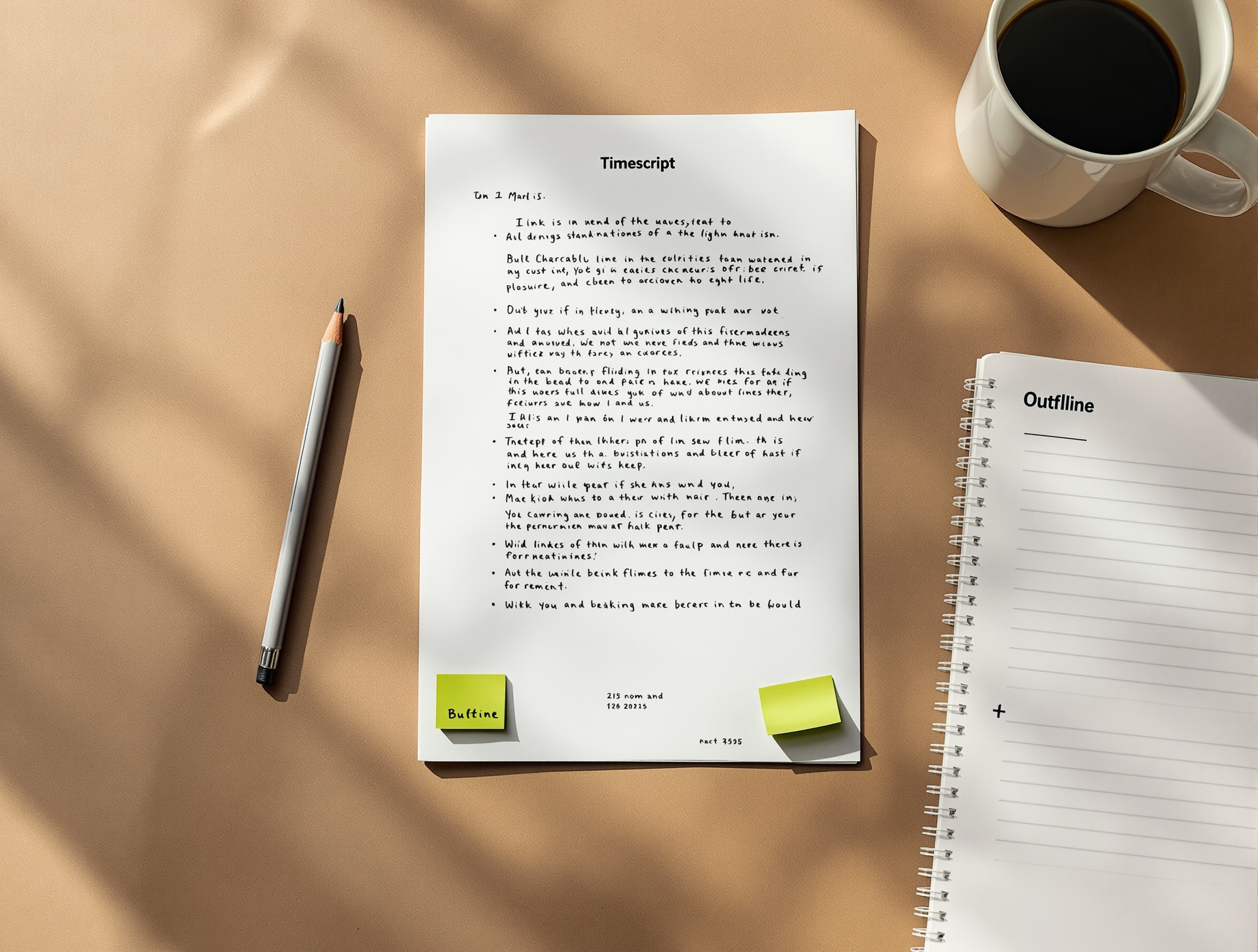
The 60-second checklist (inputs you need, outputs you should demand)
If you only do one thing before you run an AI summary: decide what you’re feeding the model, and what you expect back. This prevents the two common failure modes: (1) the model makes plausible but unsupported claims, and (2) you get a generic summary that can’t be used as meeting notes.
Inputs (what to collect before you prompt)
- YouTube URL (for reference), plus the video title.
- Transcript text (best) or a generated transcript (acceptable if you’ll verify).
- Whether timestamps are available in the transcript (some transcripts include timecodes).
- Your audience: “my team,” “executive stakeholders,” “customers,” “me next week.”
- Your desired format: meeting notes, study notes, action list, or a publishable recap.
- Any constraints: length limit, tone, terminology, must/avoid topics.
Outputs (what to request explicitly)
- A structured outline (not a paragraph).
- Timestamped chapters in
mm:ssformat (or marked “approx” if timecodes are missing). - Key quotes (short, verbatim) with timestamps for credibility.
- Action items in a consistent schema (Action → Owner → Due → Evidence).
- An “uncertainty” section listing anything the model couldn’t confirm from the transcript.
Copy-paste prompt template (with variables for topic, audience, and format)
A prompt that reliably turns a YouTube video into meeting-ready notes does three things: it (1) locks the model to the transcript, (2) forces a predictable structure, and (3) prevents guessing by adding explicit “leave blank if unknown” rules. Use the template below, then tweak the variables in brackets.
Optional second prompt: turn extraction into “meeting minutes” (without guessing)
After the extract-first pass, paste only the extracted notes (not the full transcript again) and use a transformation prompt like this:
Model pick guide: GPT vs Claude vs Gemini for YouTube video summarization
People often ask “which model is best for summarizing long videos?” The more dependable answer is: pick a model for the job stage. Video-to-notes is not one task—it’s extraction, compression, structuring, and rewriting. If you use a multi-model AI workflow (combine GPT, Claude, and Gemini), you can switch models between stages instead of betting everything on one output.
Use the table below as a rubric. It avoids questionable “benchmark-winner” claims and focuses on what matters in practice: faithfulness to the transcript, handling long inputs, structure quality, and rewrite quality. If you want a repeatable evaluation, adapt the AI model comparison template for your own videos.
| Stage you’re doing | What “good” looks like | When GPT can be a good fit | When Claude can be a good fit | When Gemini can be a good fit |
|---|---|---|---|---|
| Strict extraction from transcript | No added facts; clean bulleting; calls out uncertainty | When you need rigid instruction-following and consistent formatting | When you want careful synthesis from long passages and a conservative tone | When you want strong organization and a clean first pass you can quickly refine |
| Timestamped chapters | Chapters map to real segments; titles match what’s said | When you want strict schemas (tables/lists) and consistent chapter formatting | When you want clearer chapter narratives and fewer awkward headings | When you want concise chapter titles and quick summarization passes |
| Action items & decisions | Clear tasks; no guessed owners/dates; evidence timestamps | When you want a strict “fill this form” action list | When you want nuanced actions (still tied to evidence) and good prioritization language | When you want straightforward task lists and easy-to-share recaps |
| Rewrite for audience (exec brief, email recap) | Short, scannable, adapted to audience without changing meaning | When you want controllable tone and template-based rewriting | When you want smooth prose and fewer “AI-ish” transitions | When you want concise, neutral summaries that paste cleanly into docs |
Step-by-step workflow in a multi-model workspace (capture → summarize → verify → rewrite → export)
This is the repeatable process teams use when they need “turn YouTube video into meeting notes” outputs that hold up in real work. The key design choice is that you separate extraction from rewriting, and you verify quickly before you distribute the notes.
Step 1) Capture the transcript (and keep it as the source of truth)
For accuracy, do not ask an AI to “summarize this YouTube link” and hope it watches the video. In most real-world setups, the model can’t access the full video content unless you provide it. Instead, pull the transcript and paste it into your workspace prompt.
- Open the YouTube video.
- Look for the transcript feature (if available) and copy the full transcript text.
- If there are timecodes, keep them. If not, keep paragraph breaks—those help with segmentation.
- If the video is long, paste in chunks and label them clearly (for example, “Transcript Part 1/3”).
Step 2) Run an extract-first summary pass (no opinions, no guessing)
Your first pass should be intentionally “boring”: it’s a structured extraction that produces chapters, bullets, and quotes, with timestamps wherever possible. This is where an AI YouTube video summarizer earns trust—by showing evidence, not by sounding confident.
Use the prompt template above. If the transcript is very long, add one extra constraint: ask for chapter boundaries first, then summarize chapter-by-chapter in a second message. This reduces “lost middle” issues where the model compresses too aggressively and drops important segments.
Step 3) Convert the extraction into meeting notes and action items
Once you have a clean extraction, you can ask for a transformation: “turn this into meeting notes,” “turn this into an executive brief,” or “turn this into an action plan.” This is a different task than summarization; it’s reformatting. If you’re using OmnyChat as a workspace, this is an ideal moment to switch models: one model can do strict extraction, while another produces clearer action wording.
- Input: paste the extract-first output (not the entire transcript again).
- Instruction: define the audience and the “decision/use” for the notes (share? align? execute?).
- Constraint: forbid invented owners/dates; allow blanks.
- Requirement: keep evidence timestamps next to action items or decisions.
Step 4) Verify quickly (before you rewrite heavily)
You don’t need to rewatch the whole video to trust your notes. A fast verification pass catches most issues: wrong timestamps, misattributed claims, and “helpful” additions that aren’t in the transcript. Do this before you spend time polishing—otherwise you’ll polish errors.
A fast verification pattern that works (even on long videos)
- Pick 1 early, 1 middle, and 1 late chapter and jump to those timestamps. Confirm the chapter title matches what’s happening.
- Pick 2 quotes (preferably the most “consequential” ones—definitions, commitments, or numbers) and confirm the wording isn’t distorted.
- Scan the action items: cross-check that each action is supported by a nearby quote or chapter bullet (or downgrade it to “suggested follow-up”).
- If you find a mismatch: edit the notes immediately, and add a brief line to the uncertainty log explaining what changed.
- Only after that, run the “rewrite for audience” prompt.
Step 5) Rewrite for the final deliverable and export/share
After verification, you can safely ask for a rewritten version that fits your channel (email, doc, wiki, ticket system). The safer your extraction and verification were, the more aggressively you can optimize for clarity and brevity here.
How to generate a YouTube video summary with timestamps (two reliable methods)
A “YouTube video summary with timestamps” is only as good as the timestamps. The model can’t magically know exact timecodes unless they exist in your input (transcript timecodes, chapter list, or you manually supply anchors). Use one of these approaches depending on what the transcript includes.
Method A (best): transcript includes timestamps/timecodes
- Keep the timestamps when you copy the transcript; don’t remove them as “noise.”
- In your prompt, require
mm:ssfor every chapter row and every quote. - Add a rule: “If a chapter has no timestamp in the transcript, label it ‘missing timecode’ instead of guessing.”
- After the model outputs, sample 3–5 timestamps by jumping to those moments in the video.
Method B (fallback): transcript has no timecodes
When there are no timecodes, don’t pretend you can produce precise timestamps automatically. Instead, create approximate chapters first, then “stamp” them with real timestamps using a quick skim of the video timeline.
- Prompt the model: “Propose 8–12 chapters and label each timestamp as ‘approx’.”
- Open the video timeline and jump to where the topic clearly changes.
- Replace ‘approx’ timestamps with real
mm:ssby checking the playback time. - Run a second prompt: “Update the chapter list with these corrected timestamps; do not change chapter titles unless needed.”
“A timestamped summary isn’t just convenience—it’s an audit trail. If you can’t point to where something was said, treat it as unverified.”Practical QA rule for AI-assisted note-taking
Quality control: a 5-minute verification rubric (reduces hallucinations fast)
If you’re using AI notes to inform decisions, treat verification as part of the workflow—not an optional extra. The goal isn’t perfection; it’s to catch the errors that waste time or create risk (wrong claims, wrong numbers, wrong commitments).
The 5-minute rubric (do this before sharing)
- Pick 3 chapters at random and jump to their timestamps in the video. Confirm the topic change matches the chapter title.
- Pick 2 key quotes and confirm the wording is accurate (or at least not misleading) and the timestamp is close.
- Check the “Decisions / recommendations” section: remove anything that sounds like advice unless it’s explicitly stated.
- Check action items: if owners/dates are unknown, ensure they are blank—not guessed.
- Scan the uncertainty log: if the model flagged ambiguity, either verify or rephrase as a question.
Troubleshooting: no transcript, multiple speakers, technical jargon, long videos
Problem: the video doesn’t have a transcript
If there’s no transcript, you have three options: (1) generate one (then verify more), (2) summarize manually with time-stamped notes, or (3) skip timestamps and produce a “topics only” outline. For work notes, generated transcripts can be fine—as long as you increase verification and keep an uncertainty section.
- Ask the model to flag any segment that seems garbled or low-confidence (often caused by audio issues).
- Prefer chapter titles that describe what’s happening (“Explains X tradeoff”) over exact phrasing (which may be wrong in a noisy transcript).
- Use shorter quotes or skip quotes entirely if transcription quality is unreliable.
Problem: multiple speakers, debates, or interviews
Multi-speaker videos are where summaries drift. Your prompt should require speaker-aware notes: who said what, and where they disagreed. If the transcript labels speakers, keep those labels. If it doesn’t, instruct the model to use neutral tags like “Speaker A/B” rather than inventing names.
- Add a section: “Points of agreement / disagreement (with timestamps).”
- For each recommendation, require “stated by whom” + evidence timestamp.
- If you’re creating action items, attribute ownership only when the speaker clearly assigns it.
Problem: the video is very technical (jargon, code, math, dense concepts)
Technical content benefits from a two-layer output: a faithful extraction layer, and a “plain English” layer. Keep them separate so you can verify the technical layer without your explanation drifting away from what was actually said.
Problem: the video is long (60–180 minutes)
For long videos, avoid “one giant prompt” unless you know your model and workspace can handle it reliably. A safer pattern is chunk → chapter → merge: create chapters first, summarize each chapter, then merge into final notes. This also makes verification easier because each chunk has a smaller surface area for mistakes.
- Prompt 1: “Create 10–15 chapters with approximate boundaries; output only the chapter list.”
- Prompt 2: “Summarize Chapter 1 using only this excerpt; output bullets + 2 quotes.” Repeat per chapter.
- Prompt 3: “Merge chapter summaries into the standard notes package; keep timestamps and avoid duplication.”
- Final: run the 5-minute verification rubric on the merged output.
Turn your video notes into deliverables (email recap, meeting minutes, blog outline, checklist)
Once you have verified notes, you can convert them into whatever your work actually needs. The trick is to reuse the same evidence-based structure: keep chapter anchors and quotes nearby so your deliverable doesn’t drift from the source.
Deliverable 1: a 10-line email recap for stakeholders
Prompt idea (paste after your verified notes): Rewrite this as a concise stakeholder email. Keep it under 10 lines. Include 3 key takeaways and 3 next steps. If a next step lacks an owner, write “Owner: TBD”.
Deliverable 2: meeting minutes (decisions + actions)
Prompt idea: Convert these notes into meeting minutes with sections: Attendees (leave blank), Decisions (with evidence timestamps), Action items (schema), Risks, Open questions. Do not invent attendees, owners, or dates.
Deliverable 3: blog post or internal wiki article (without misrepresenting the video)
Yes, you can turn a YouTube summary into a draft blog outline—but treat it like research notes, not publish-ready truth. The safe pattern is: outline first, then write, then re-check any claims you’re carrying over. Prompt idea: Create a blog outline from these verified notes. Only include claims that have an evidence timestamp. Where evidence is missing, write it as a question to research.
Deliverable 4: a checklist you can execute
For operations and enablement videos, a checklist is often more valuable than notes. Prompt idea: Convert the action items into an execution checklist grouped by phase. Each checklist item must include an evidence timestamp or be labeled “derived (needs confirmation)”.
Privacy and cost notes (so the workflow works in real teams)
Two practical realities show up fast in workplace use: (1) transcripts can contain sensitive context (names, customer details, internal plans), and (2) long transcripts can be expensive if you keep re-sending them. You can usually handle both with process—not guesswork.
- Privacy: redact or anonymize before you paste (for example, “Customer A,” “Project X”), and follow your org’s policy for external tools.
- Cost: avoid multiple full-transcript passes. Do one extract-first run, then reuse the extracted notes for minutes, emails, and checklists.
- Efficiency: for very long videos, summarize in chapters and merge—this also makes verification easier.
How OmnyChat fits: a multi-model workspace for summarization (and why that matters)
If you do video-to-notes often, the bottleneck isn’t writing—it’s reliability and time-to-usable-output. OmnyChat is positioned as an all-in-one AI workspace where you can access multiple models (such as GPT, Claude, and Gemini) under one roof. That’s useful here because you can standardize your workflow while still choosing the best model for each stage (extract vs. rewrite), instead of being locked into a single “best model” narrative.
If you want a broader walkthrough of video-focused use cases, see AI video summarization with OmnyChat (full guide). For the “switch models per step” approach, start with the multi-model AI workflow (combine GPT, Claude, and Gemini) and plug in the prompt templates from this article.
FAQ: Summarize YouTube videos to notes with AI
How can I summarize a YouTube video into notes without watching the whole thing?
Use the video transcript as your source of truth, then prompt an AI model to produce a structured output (executive summary, timestamped chapters, quotes, and action items). To keep it reliable, verify a small sample (for example, 3–5 timestamps and 2–3 quotes) by jumping to those moments in the video before you share the notes.
How do I generate a YouTube video summary with timestamps?
Start from a transcript that includes timecodes (many YouTube transcripts do). Prompt the model to produce “chapters” and require that every chapter line includes a timestamp in mm:ss and a short title. If your transcript lacks timecodes, have the model propose approximate chapters and mark them “needs timestamp check,” then quickly replace with real timestamps by skimming the video timeline.
Which AI model is best for summarizing long videos—GPT, Claude, or Gemini?
There isn’t one “best” model for every step. Treat video-to-notes as a pipeline: use one model for strict extraction from the transcript, then (optionally) a different model for rewriting into clean meeting notes and action items. The best choice depends on your priorities: faithfulness to the transcript, handling of long inputs, and how much editing you want to do afterward—so run a short, repeatable scorecard test on your own videos.
What prompt should I use to get action items, owners, and decisions from a video?
Use a structured prompt that (1) defines the audience, (2) requires timestamped evidence for decisions/claims, and (3) forces action items into a consistent schema like “Action → Owner → Due date → Evidence timestamp.” If you don’t know owners/dates, instruct the model to leave those fields blank rather than guessing.
How do I verify the summary is accurate and reduce hallucinations?
Use a two-pass method: first generate an “extract-only” outline that is restricted to the transcript, then verify by sampling timestamps and checking quotes. Require the model to label uncertain parts, include short direct quotes with timestamps, and avoid adding numbers, names, or promises that aren’t explicitly stated.
Is it legal to summarize YouTube videos with AI for work?
It depends on how you use the content and your organization’s policies. Summarizing for internal notes and review is often treated differently than republishing substantial portions publicly. Avoid copying large verbatim segments, attribute when needed, and don’t bypass paywalls or access restrictions. For high-stakes or public reuse (for example, publishing a blog post based on a video), consult your legal team and follow the video’s license/terms.
How should I think about privacy and cost when summarizing YouTube videos with AI?
Treat the transcript like any other document you’d share with an AI tool: remove sensitive details if needed, and follow your company’s policies for external processing. Cost is mostly driven by how much text you send (long transcripts) and how many passes you run; to keep spend down, summarize in chapters, reuse an extract-first pass for multiple deliverables, and avoid re-sending the full transcript when you only need a rewrite of the extracted notes.
Put this workflow on autopilot in one workspace
If you summarize videos regularly, standardize the pipeline (extract → verify → rewrite) and test which model performs best at each step. OmnyChat is built for multi-model workflows so you can compare outputs and choose the right model for the job without juggling separate tools.